
With Content Views Pro
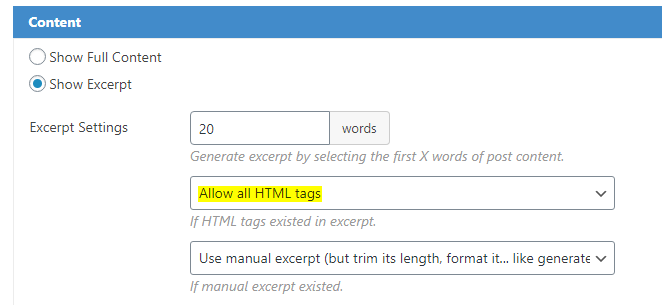
Please select the option Allow all HTML tags in the dropdown in Display Settings >> Fields Settings >> Content.
With Content Views free
By default, these HTML tags are allowed in excerpt:
a, br, strong, em, strike, i, ul, ol, li.
To allow more tags, please add this code to file functions.php of your active theme:
/* CVP - allow other tags in excerpts */
add_filter( 'pt_cv_allowable_tags', 'cv_add_allowable_tags', 100, 1 );
function cv_add_allowable_tags( $args ) {
	$args[] = '<tag_1>';
	$args[] = '<tag_2>';
	return $args;
}
(replace tag_1, tag_2 with HTML tags you want to allow in excerpt).
Best regards,


